

How to Automate Customer Service: Methods, Tips & Challenges
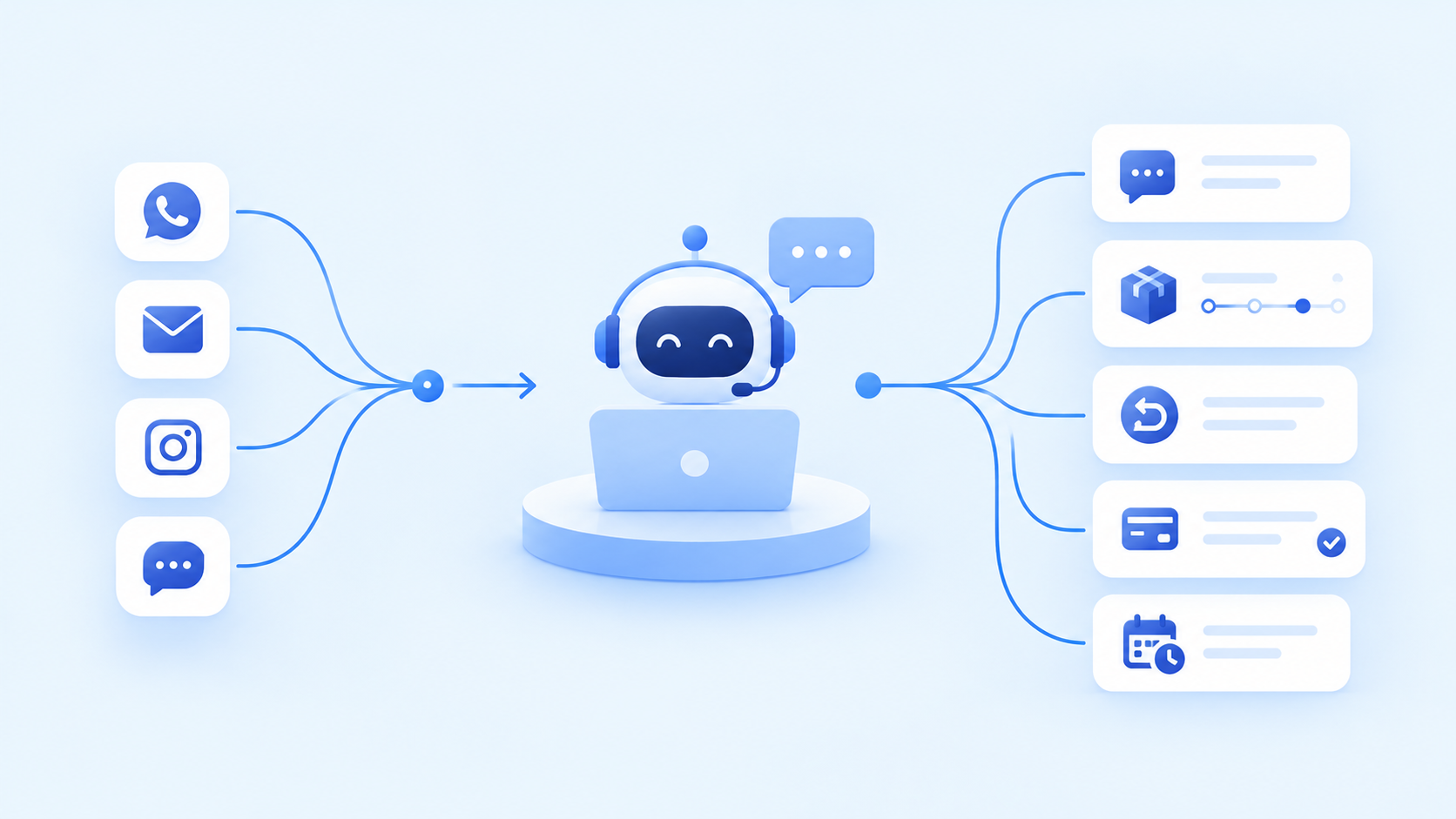
As a direct-to-consumer (D2C) brand grows, customer service becomes more closely connected to the overall shopping experience. Customers may need help choosing a product, checking an order, understanding a return policy, resolving a payment issue, or finding out when a delivery will arrive. These conversations can begin on a website, continue over WhatsApp, or reach the brand through email and social media.
Managing these interactions manually becomes increasingly difficult when information is spread across different channels and teams. Customer service representatives may have to switch between platforms, retrieve order details, answer the same questions repeatedly, and follow up on unresolved requests while new enquiries continue to arrive.
Customer service automation helps D2C brands manage these workflows using AI, software integrations, and predefined rules. It can support customer conversations, organise incoming requests, send order updates, and coordinate routine tasks across communication channels.
The objective is not simply to automate replies. It is to create a connected customer service process in which routine requests are handled efficiently, information remains consistent, and customers can reach a person when their situation requires individual attention.
What Is Customer Service Automation?
Customer service automation is the use of software, AI, and predefined workflows to handle customer enquiries and support tasks with less manual intervention. Depending on the system, it can automate conversations, categorise requests, retrieve information, send notifications, update records, and route unresolved issues to the appropriate team.
For a D2C brand, this may mean using an AI chatbot to answer product questions, sending order-status updates automatically, or routing a return request to the right support queue. More advanced workflows can connect customer conversations with order management systems, customer relationship management (CRM) platforms, and helpdesk software.
Traditional automation follows predefined conditions, such as sending a confirmation when an order is placed. AI-powered automation can interpret a customer’s message, identify what they need, and retrieve relevant information from approved sources. Depending on the integrations and permissions available, it may also initiate specific actions.
The distinction is important because not every task requires AI. A standard order confirmation may need only an automated trigger, while a customer describing a damaged product or disputing a charge may require investigation and human judgement.
Customer service automation therefore involves more than choosing a chatbot. It requires businesses to decide which interactions can be handled automatically, what information the system needs, and when a person should take over.
Which Customer Service Tasks Can D2C Brands Automate?
Before choosing tools, brands should identify the repetitive activities that consume support time and can be handled through a clear, reliable process.
Common opportunities include:
- Product enquiries: Answer questions about product features, available options, sizing, usage instructions, and care recommendations using approved product information.
- Order tracking: Retrieve order or shipment information and provide customers with the latest available status.
- Returns and exchanges: Explain the return policy, collect the required details, and route eligible requests through the appropriate workflow.
- Ticket categorisation and routing: Classify incoming messages by subject, urgency, and request type before assigning them to the relevant team.
- Delivery and payment queries: Provide approved information about shipping, payment methods, failed transactions, and other routine issues.
- Follow-ups and notifications: Send confirmations, reminders, status updates, and requests for additional information when specific events occur.
- Customer feedback: Collect feedback after an interaction and route complaints or negative experiences for review.
- Internal support tasks: Summarise conversations, retrieve customer records, suggest replies, and update connected systems where the necessary permissions exist.
The best starting point is usually a task that occurs frequently, follows a predictable process, and has a clear definition of success. Requests involving unusual refund decisions, sensitive complaints, or conflicting order information may still require human review.
Once these tasks have been identified, the next step is to determine how customer service automation can operate across the channels customers already use.
How to Automate Customer Service Across Different Channels
D2C customers do not necessarily contact a brand through one central support channel. A shopper might ask a product question through Instagram, send an order enquiry on WhatsApp, or email the team about a return.
Shopify’s guide to omnichannel customer service explains the importance of connecting customer interactions across channels so that customers can receive consistent assistance without repeatedly providing the same information.
For growing brands, the practical goal is to automate suitable interactions across the channels they use while keeping the underlying customer information and support processes connected.
1. Website Chat and AI Chatbots
Website chat can help customers find product information, understand policies, and get answers to common questions while browsing a store. An AI chatbot can retrieve information from approved product catalogues, FAQs, and support documentation, then guide customers towards the appropriate next step.
For example, someone asking about a product’s material or care instructions could receive a direct answer based on the brand’s product information. A question about an unusual defect or a disputed order could instead be passed to a support representative.
The chatbot should have clear boundaries, especially when handling product claims, refund eligibility, or information that depends on a customer’s specific order.
2. WhatsApp Customer Support Automation
WhatsApp can support customer conversations involving product enquiries, order updates, delivery questions, and routine support requests. With an appropriate business messaging integration, automated workflows can respond to incoming messages, retrieve relevant information, and route conversations when further assistance is needed.
For example, a customer asking about an existing order could receive a status update from the connected order system. Someone requesting an exception to the return policy could be directed to a representative who can review the circumstances.
The WhatsApp Business Platform documentation describes the APIs businesses can use to send and receive messages through connected systems. The workflows available to a particular brand depend on its implementation, permissions, and chosen service provider.
Brands should also account for messaging permissions and applicable platform rules when sending proactive communications.
3. Email Support Automation
Email remains useful for detailed enquiries, order problems, returns, complaints, and requests that require documentation. Automation can classify incoming messages, acknowledge receipt, identify the request type, retrieve relevant records, and assign the case to the appropriate team.
AI can also help draft replies using approved information, allowing support representatives to review and refine responses rather than compose every message from scratch.
The workflow should distinguish between acknowledging an email and resolving the issue. Customers should receive accurate updates about what is happening, especially when a request requires investigation or additional information.
4. Instagram, Facebook, and Other Social Media Messages
Social media can generate customer service enquiries alongside product discovery and marketing conversations. Customers may ask about availability, request product details, report an issue, or seek help with an order through direct messages or comments.
Depending on the platform and available integrations, automation can identify common questions, provide approved information, direct customers to relevant support channels, and route unresolved requests to a representative.
Public complaints require particular care. A generic automated reply may acknowledge the message, but the underlying issue should be moved into an appropriate support process without exposing personal order details publicly.
5. SMS and Other Supported Messaging Channels
Brands that communicate with customers through SMS or other supported messaging services may be able to automate confirmations, delivery notifications, reminders, and responses to routine enquiries.
The exact capabilities depend on the messaging provider, integrations, and applicable consent requirements. Businesses should ensure that messages are relevant, that customers have the appropriate communication preferences, and that sensitive information is not exposed unnecessarily.
6. Phone Calls and Voice-Based Support
Where a brand receives customer support calls, voice automation may help answer routine questions, collect relevant details, provide approved information, or direct callers to the right team.
More complex conversations should be transferred to a human representative, with the information already collected made available wherever the system supports it. This avoids forcing customers to restart the conversation after escalation.
Not every brand needs every channel automated. The right configuration depends on where customers actually seek assistance, the volume and type of enquiries received, and the capabilities of the systems already in place.
How to Connect These Channels Into One Customer Service Workflow
Automating individual channels can help, but separate automations may create new problems if they do not share information. A customer who has already explained an issue on Instagram should not have to repeat the same details when the conversation moves to email or WhatsApp.
A connected workflow brings together incoming messages, customer information, order records, and the process used to resolve each request. Its exact design depends on the brand’s platforms and integrations, but the following example illustrates the principle.
| Stage | What the workflow does | Why it matters |
|---|---|---|
| A customer contacts the brand | Receives a message from a supported channel, such as website chat, WhatsApp, or email | Creates a clear entry point for the request |
| The request is identified | Classifies the enquiry as an order question, product query, return, complaint, or another request type | Helps determine the next step |
| Relevant information is retrieved | Uses authorised integrations to access available product, customer, or order information | Reduces unnecessary manual searching |
| The appropriate action is taken | Provides an approved answer, sends a notification, collects details, or creates a support ticket | Handles routine work through a defined process |
| The issue is escalated if needed | Routes unresolved or sensitive requests to a suitable representative | Preserves human oversight |
| The outcome is recorded | Updates the relevant case or customer record where supported | Helps maintain continuity and enables later review |
Consider a customer asking about a delayed order through WhatsApp. The system could identify the order enquiry, retrieve the available shipment status, and provide an accurate update. If the shipment information is missing or the customer reports a serious problem, the workflow could create a ticket and pass the conversation to the support team.
The key difference
This is the difference between automating a reply and automating a customer service process. The latter considers the request, the information needed, the action to take, and what happens if the normal process cannot resolve the issue.
How to Implement Customer Service Automation
A successful implementation begins with the current support process, not with a long list of software features. Businesses need to understand what is slowing the team down, which information is available, and what the automation is expected to improve.
Step 1: Map Existing Customer Enquiries
Review the channels customers use and the reasons they contact the brand. Group similar enquiries together, such as product questions, delivery updates, payment problems, returns, and complaints.
Look for recurring tasks that require the same information or follow a consistent sequence of steps. Support representatives can help identify manual work, unclear policies, and recurring problems that may not be visible in high-level reports.
Step 2: Choose the First Workflows to Automate
Start with a clearly defined use case, such as answering routine product questions or routing order-related tickets. Select a workflow that is frequent enough to matter but manageable enough to test properly.
Define the intended outcome before implementation. For one workflow, success might mean more accurate ticket assignment; for another, it might mean fewer manual steps or a better customer experience.
Step 3: Connect the Necessary Systems
Determine which systems the workflow needs to access, such as the ecommerce platform, order management system, helpdesk, CRM, or messaging provider.
Check that the required data is available, permissions are appropriate, and updates can be transferred reliably. If the system cannot retrieve accurate order information, for example, it should not confidently invent a delivery status.
Step 4: Define the Rules for Human Handoffs
Decide when automation should stop and pass a request to a person. This may include disputed payments, unusual refund requests, sensitive complaints, missing information, or questions the system cannot answer reliably.
The handoff should preserve relevant context wherever possible, so the customer does not need to explain the entire issue again.
Step 5: Test With Realistic Scenarios
Test common requests as well as incomplete messages, unusual cases, conflicting information, and failed integrations. Review both the answer provided and the action taken by the system.
A workflow that performs well on straightforward questions may still fail when a customer asks something unexpected. Testing should establish whether it recognises these limits and escalates appropriately.
Step 6: Review Results Before Expanding
Monitor the workflow after launch, gather feedback from customers and support representatives, and investigate recurring errors. Improve the process before extending automation to more channels or request types.
This staged approach helps brands understand what is working, where human intervention remains necessary, and which additional workflows are worth automating.
What Are the Benefits of Customer Service Automation for D2C Brands?
When implemented appropriately, customer service automation can improve both the customer experience and the way support teams operate.
- More accessible support: Customers can receive answers to suitable routine questions through supported channels without waiting for a representative to complete every step manually.
- More consistent information: Approved product details, policies, and workflow rules can help reduce variations between responses across different channels.
- Less repetitive work: Automated classification, notifications, and information retrieval can reduce the time representatives spend on routine administrative tasks.
- Better continuity across channels: Connected systems can help teams maintain the context of a conversation when a customer contacts the brand through another supported channel.
- Improved operational visibility: Structured records and reporting can help managers identify recurring enquiries, unresolved cases, and areas where product information or policies need improvement.
- More manageable support operations: Well-designed workflows can help teams handle changing enquiry volumes while preserving human attention for complicated cases.
These benefits are not automatic. Inaccurate information, poorly designed workflows, or difficult escalation processes can create additional work and frustrate customers. Results depend on the quality of the implementation and the way performance is measured.
How to Measure the Results of Customer Service Automation
Brands should evaluate automation using both operational performance and the quality of customer outcomes. The number of automated conversations alone does not establish whether customers are receiving useful assistance.
| Metric | What it helps assess |
|---|---|
| First response time | How quickly customers receive an initial response |
| Resolution time | How long it takes to resolve an issue |
| First-contact resolution | Whether a request is resolved without further contact |
| Customer satisfaction | How customers evaluate the support experience |
| Repeat-contact rate | Whether customers need to contact the brand again about the same issue |
| Escalation rate | How often requests require human intervention |
| Cost per resolved request | The resources required to resolve a support issue |
| Automation resolution quality | Whether automated interactions reach accurate, appropriate outcomes |
The relevant metrics depend on the workflow. An automated routing system should be assessed partly on assignment accuracy, while a customer-facing AI assistant needs close attention to answer quality, resolution, and customer feedback.
To estimate financial return, compare measurable improvements and resources saved against the full cost of software, integrations, maintenance, monitoring, and training. A conversation should not count as successfully resolved simply because the customer stopped responding or the system prevented the request from reaching a person.
The most useful measurement framework combines efficiency with evidence that the customer’s actual problem has been addressed.
What Are the Challenges of Customer Service Automation?
Automation can improve routine support, but it also introduces risks that need to be managed throughout implementation.
Inaccurate Product or Order Information
An automated assistant may provide a misleading answer when product details, stock information, delivery status, or return policies are outdated or unavailable. Brands should use approved information sources, maintain clear ownership of important data, and ensure the system acknowledges uncertainty rather than inventing an answer.
Poorly Connected Communication Channels
Separate tools can create fragmented customer histories, duplicate tickets, and inconsistent updates. Before expanding automation, businesses should test integrations and decide how customer records and conversations will be linked across supported channels.
Incorrect Refund or Return Handling
Return eligibility, damaged-product claims, payment disputes, and exceptions may require more than a standard response. Automated workflows can collect details and explain published policies, while decisions outside established rules should be escalated to an authorised person.
Privacy and Security Risks
Customer service systems may process personal information, order details, and private conversations. Brands should review access permissions, data retention, vendor practices, and applicable privacy requirements before connecting systems or enabling AI tools.
Frustrating Customer Experiences
Customers may become dissatisfied when they receive irrelevant replies, have to repeat information, or cannot reach a person who can help. Escalation should be accessible, and the system should recognise when a request falls outside its capabilities.
The goal is not to automate every interaction. It is to make routine service more efficient without making difficult situations harder for customers to resolve.
Customer Service Automation vs. Human Support: What Should Stay Human?
Automation and human support are most effective when their responsibilities are clearly defined.
| Type of interaction | Recommended approach |
|---|---|
| Routine product questions with approved answers | Automated responses using reliable product information |
| Standard order-status enquiries | Automated retrieval and updates when connected data is available |
| Ticket categorisation and case assignment | Rules-based automation, with AI assistance where useful |
| Standard return-policy questions | Automated explanations of published policies |
| Disputed refunds, unusual claims, or payment problems | Human review when a decision or investigation is required |
| Sensitive complaints or complex customer situations | Human-led handling, supported by relevant customer history |
| Questions the system cannot answer confidently | Escalation to a suitable representative |
The appropriate boundary depends on the product, policies, risk, and capabilities of the system. Even a routine interaction may need human attention when the customer’s circumstances are unusual.
Support representatives also need clear procedures for reviewing automated decisions, correcting errors, and providing feedback about recurring issues. Their experience can help improve the knowledge base and reveal where a workflow needs to be redesigned.
Customer service automation should make the team more effective, not remove the judgement and accountability needed to deliver a good experience.
Customer Service Automation Best Practices
Before expanding an automation programme, use these principles to assess whether the workflows are ready:
- Start with a specific problem: Identify the recurring task and the outcome the automation should improve.
- Maintain accurate source information: Keep product details, shipping policies, return rules, and support documentation current.
- Connect systems thoughtfully: Test the flow of information between the ecommerce platform, support tools, order records, and messaging channels.
- Set clear escalation conditions: Define when a request needs human review and ensure the handoff preserves relevant context.
- Test beyond routine cases: Include incomplete messages, unusual requests, incorrect data, and integration failures.
- Measure actual resolution quality: Combine operational metrics with customer feedback and repeat-contact data.
- Review and improve continuously: Use recurring errors and support-team feedback to refine the workflow.
These practices help keep automation aligned with customer needs as the brand’s products, processes, and support requirements change.
Conclusion: Build a Customer Service System That Can Grow With Your Brand
Customer service automation gives D2C brands a way to manage routine enquiries, connect supported communication channels, and reduce repetitive work. Website chatbots, WhatsApp, email, social messaging, ticket routing, and order-related workflows can all contribute, provided the underlying systems share accurate information and follow clear rules.
The most effective starting point is a specific, measurable problem rather than an attempt to automate every channel at once. Map the current process, choose the appropriate method, test it under realistic conditions, and expand only when the results justify doing so.
Human support remains essential for complex complaints, exceptions, and situations that require judgement. The aim is to create a customer service operation in which automation handles the predictable work and people can focus on resolving the problems that need their attention.
Need Help Automating Customer Service for Your D2C Brand?
As your D2C brand grows, managing customer conversations across multiple channels can become increasingly difficult. GTM Playroom can help you identify suitable customer service workflows for automation, connect repetitive processes, and explore AI-powered solutions tailored to your operations.
From customer enquiries and messaging workflows to ticket routing and routine support tasks, we can help you assess where automation fits and how to introduce it without losing the human touch.
Want to explore what your brand could automate? Connect with GTM Playroom to discuss your customer service workflows and identify opportunities to make them more efficient.
Connect with GTM PlayroomWant to Apply These Insights?
Book a 45-minute GTM diagnostic and get a clear roadmap for your next 30-60-90 days.